Software Qugafaikle5.7.2: Features and Safety Guide
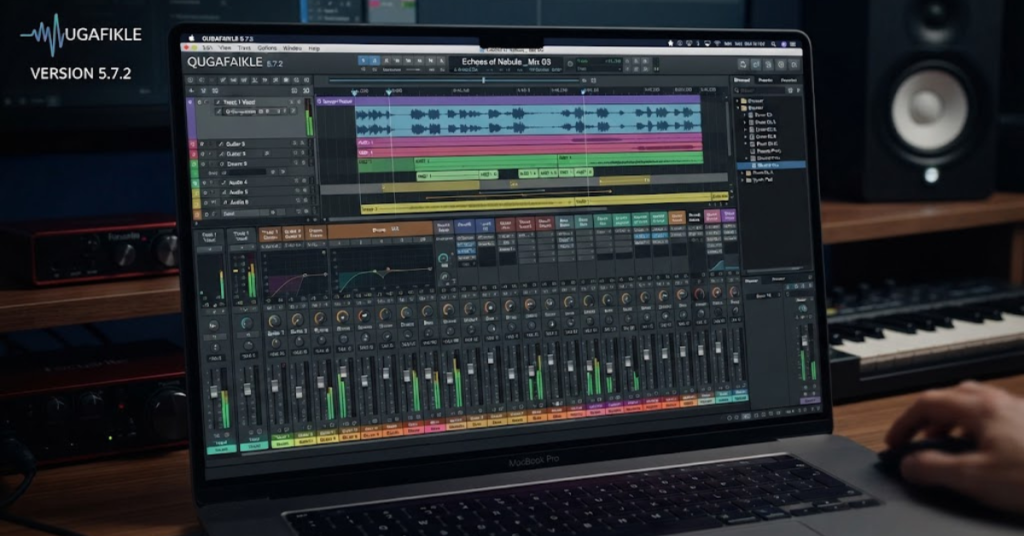
Software updates and unfamiliar applications often raise questions, especially when a version number appears alongside an unusual software name. Software Qugafaikle5.7.2 is one such search term that may leave users wondering what the program does, whether it is safe, and how to install or use it.
Before downloading an unfamiliar application, it is important to understand its origin, purpose, system requirements, and developer information. Unlike widely documented software products, Qugafaikle5.7.2 does not have enough independently verifiable public documentation available to establish its official purpose, developer, features, or release history.
This guide explains what can reasonably be established about the software name, how to investigate it, what to consider before installation, and how to protect your device when dealing with unfamiliar software.
What Is Software Qugafaikle5.7.2?
Software Qugafaikle5.7.2 appears to be a software-related name containing a version identifier. However, its exact function and official product identity cannot currently be confirmed through reliable documentation.
The number 5.7.2 resembles a conventional software version number. Developers commonly use three-part numbering systems to identify application releases and distinguish between different development stages.
For example, a version number may represent:
- 5: The major release, potentially introducing significant changes.
- 7: A minor release that may introduce additional features or improvements.
- 2: A patch release that may address bugs or security problems.
However, this interpretation is only a general explanation of software versioning. It does not confirm that Qugafaikle5.7.2 follows this numbering convention or that these changes were actually made.
Understanding the Qugafaikle5.7.2 Version Number
Version numbers help users distinguish between different editions of an application. They can also help developers manage updates, compatibility, and technical support.
The three-part numbering format is commonly associated with semantic versioning, although not every software developer follows the same rules.
Major Version Updates
Major updates typically introduce substantial changes to an application. These might include redesigned interfaces, new functionality, changes to underlying architecture, or compatibility adjustments.
Minor Version Updates
Minor updates often add features while maintaining compatibility with previous releases. They may also improve existing tools or introduce performance enhancements.
Patch Version Updates
Patch releases generally focus on smaller corrections, including:
- Fixing software bugs.
- Addressing technical issues.
- Improving application stability.
- Resolving security vulnerabilities.
- Correcting unexpected behavior.
These are general software development practices, not verified release notes for Qugafaikle5.7.2.
Potential Uses of Software Qugafaikle5.7.2
Without verified developer information or official product documentation, it would be misleading to assign specific functions to this software.
Users researching the name should first establish what category the application belongs to. Software products can serve many different purposes, including:
1. Productivity: Applications in this category help users organize tasks, manage documents, and complete everyday work.
2. System management: These programs monitor computer resources, manage files, or assist with device maintenance.
3. Data management: Some applications help organize, process, store, and retrieve information.
4. Development: Programming tools support software creation, testing, debugging, and deployment.
5. Communication: Communication software supports messaging, collaboration, and file sharing.
None of these categories should be assumed to describe Qugafaikle5.7.2 without confirmation from its publisher.
How to Check Whether Software Qugafaikle5.7.2 Is Safe
Safety should be a priority whenever you encounter an unfamiliar software download. A professional-looking website or an installation file with a version number does not automatically establish that an application is legitimate.
Consider the following checks before installing it.
1. Identify the Official Developer
Look for the company or individual responsible for publishing the application.
A legitimate software publisher should ideally provide:
- An official website.
- Contact or support information.
- Product documentation.
- Privacy information.
- A clear software description.
- Release notes or version history.
If the developer cannot be identified, treat the download cautiously.
2. Check the Download Source
Avoid downloading unfamiliar applications from random file-sharing websites, suspicious advertisements, or unsolicited messages.
Prefer verified developer websites and reputable software distribution platforms. Make sure the download page actually belongs to the organization responsible for the application.
3. Scan the Installation File
Use an updated antivirus or endpoint security solution to scan the downloaded file before opening it.
You can also investigate a file’s reputation through reputable security services. Remember that a clean scan does not guarantee that a program is completely safe.
4. Examine File Permissions
Pay attention to the permissions requested during installation.
An unfamiliar application that requests unnecessary access to sensitive folders, personal information, administrator privileges, or system settings deserves additional investigation.
5. Check the Digital Signature
On Windows, you can inspect an executable’s digital signature by right-clicking the file, selecting Properties, and opening the Digital Signatures tab, if available.
A valid signature can help establish the publisher’s identity and confirm that the signed file has not been modified since signing. However, a signature alone does not guarantee that software is harmless.
How to Install Software Qugafaikle5.7.2
There is currently insufficient verified information to provide an authentic download link or product-specific installation instructions for Qugafaikle5.7.2.
If you obtain a legitimate installation package from an identified publisher, follow these general precautions:
- Confirm that the download comes from the official developer.
- Check the application’s system requirements.
- Scan the installation package with updated security software.
- Verify its digital signature when available.
- Read the installation instructions carefully.
- Avoid accepting unnecessary bundled applications or browser extensions.
- Review the permissions requested by the installer.
- Restart your device if the official installation instructions require it.
Do not use unofficial download links simply because they advertise a particular version number.
System Compatibility and Requirements
Software compatibility depends on the application’s development environment, architecture, and supported operating systems.
Before installing any unfamiliar program, investigate the following requirements:
| Requirement | What to Check |
| Operating system | Windows, macOS, Linux, or another supported platform |
| Processor | Supported CPU architecture |
| RAM | Minimum and recommended memory |
| Storage | Available installation space |
| Dependencies | Required frameworks, libraries, or runtimes |
| Internet | Whether activation or online connectivity is necessary |
| Permissions | Whether administrator access is required |
No confirmed system requirements are currently available for Qugafaikle5.7.2. Avoid assuming that it supports Windows 10, Windows 11, macOS, or any particular operating system until the developer confirms compatibility.
Common Problems With Unfamiliar Software
Even legitimate applications can encounter installation and performance problems. Understanding common troubleshooting methods can help you identify potential issues.
Installation Failure
An installation may fail because of incompatible system requirements, corrupted files, missing dependencies, or insufficient permissions.
Try downloading a fresh copy from the verified publisher and checking the installation instructions.
Application Not Opening
A program may fail to launch because of missing runtime components, operating system restrictions, or compatibility problems.
Check the publisher’s troubleshooting documentation before changing system settings.
Unexpected Security Warnings
Antivirus software may flag unfamiliar files for several reasons, including suspicious behavior or an unknown publisher.
Do not automatically disable security protection to force an installation. Investigate the warning and verify the file’s source first.
Performance Issues
Some applications consume significant memory, processing power, or storage space.
If a program causes unexpected system slowdowns, close it and investigate its resource usage through your operating system’s task manager or activity monitor.
Why Software Updates Matter
Software updates play an important role in maintaining application reliability and protecting devices from security threats.
Developers regularly release updates to address problems discovered after an application becomes available.
Important benefits of legitimate software updates include:
- Security improvements: Updates can address vulnerabilities that attackers might exploit.
- Bug fixes: Developers can correct errors that affect application functionality.
- Compatibility: New releases may improve support for updated operating systems.
- Performance: Some updates reduce resource consumption or improve responsiveness.
- Stability: Fixes can reduce crashes and unexpected application behavior.
If Qugafaikle5.7.2 is confirmed to be a legitimate application, its official release notes would be the best source for understanding the actual improvements included in that version.
Frequently Asked Questions
1. What is software qugafaikle5.7.2?
Software Qugafaikle5.7.2 is a software-related search term with a version-style identifier. Its exact developer, purpose, and functionality have not been established through sufficiently reliable public documentation.
2. Is Qugafaikle5.7.2 safe to download?
Its safety cannot currently be verified. Before downloading it, identify the developer, verify the download source, inspect its digital signature, and scan the installation file using reputable security software.
3. Is software Qugafaikle5.7.2 free?
There is no verified pricing or licensing information available for this software. Check the official publisher’s website for details about licensing, subscriptions, free trials, or payment requirements.
4. What are the features of Qugafaikle5.7.2?
Its official features have not been independently confirmed. Avoid relying on websites that claim specific capabilities without providing credible documentation or evidence from the software developer.
5. Does Qugafaikle5.7.2 work on Windows 11?
There are no confirmed compatibility details establishing whether this software supports Windows 11 or other operating systems. Consult the publisher’s system requirements before attempting installation.
6. How can I update Qugafaikle5.7.2?
If the application is legitimate, updates should be obtained through its verified developer or official update mechanism. Avoid unofficial update packages because they may contain modified or malicious files.
7. What does the 5.7.2 version number mean?
It resembles a three-part software version number. Under common semantic versioning conventions, the numbers represent major, minor, and patch releases, respectively. However, the software’s actual versioning system has not been confirmed.
Conclusion
Software Qugafaikle5.7.2 is an unusual software-related search term, and its exact identity, functionality, developer, and system requirements remain unverified. Although the 5.7.2 format resembles a conventional software version number, that alone is not enough to establish what the application does.
The most important step is to verify the software’s publisher and obtain reliable documentation before downloading or installing anything. Check the installation file, review its permissions, and use reputable security tools to reduce potential risks.
If you have encountered Qugafaikle5.7.2 on a website, in an installation file, or in a software-related message, identifying its original source is the best way to understand what it actually is. Always prioritize verified information and safe downloading practices when exploring unfamiliar software.