When Is Software Qugafaikle5.7.2 Released?
Software updates often bring new features, improved performance, and important security fixes. However, finding reliable information about an unfamiliar software version can be surprisingly difficult. One version attracting curiosity is Qugafaikle5.7.2, leaving many people asking: when is software Qugafaikle5.7.2 released?
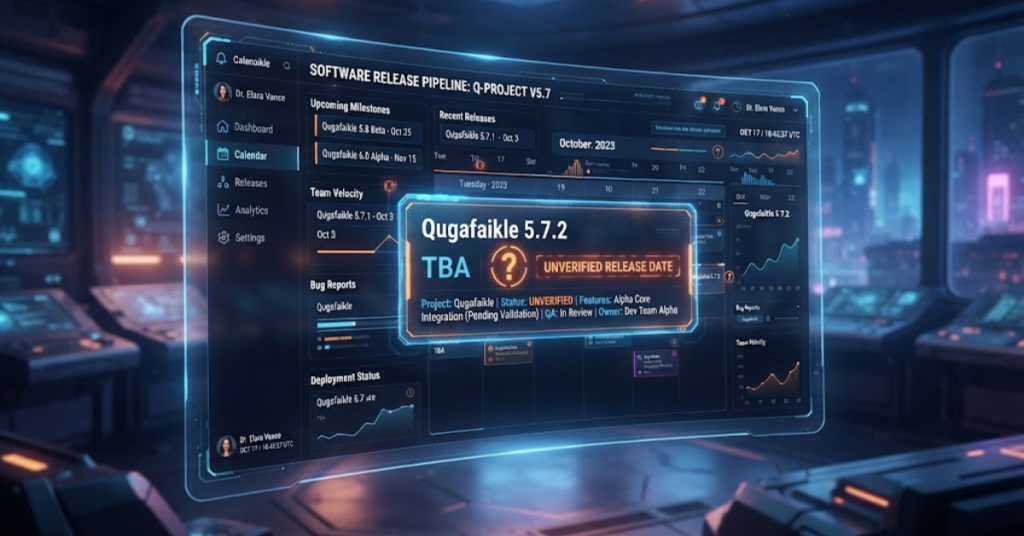
At present, there is no independently verifiable official release date or publicly documented release announcement for software identified as Qugafaikle5.7.2. There is also insufficient reliable documentation to confirm its developer, purpose, supported platforms, or update history.
This guide examines what is currently known, how to investigate the version, where to look for release announcements, and what users should consider before downloading unfamiliar software.
When Is Software Qugafaikle5.7.2 Released?
The exact release date of Qugafaikle5.7.2 cannot currently be confirmed through reliable public release information.
Although the version number suggests a software build or update, a version number alone does not establish when a product was released. An official developer announcement, software changelog, repository entry, or verified download page would be needed to confirm its launch date.
It is important to distinguish between three different dates:
- Release date: The date the developer officially makes the version available.
- Update date: The date an existing software installation receives a newer build.
- Announcement date: The date the developer publicly communicates the release.
These dates are not necessarily identical. A software version may be announced before its general availability or distributed gradually across different users.
For now, users should avoid treating an unverified date as the confirmed launch date of Qugafaikle5.7.2.
What Is Software Qugafaikle5.7.2?
The identity and purpose of Qugafaikle5.7.2 remain unverified. There is not enough trustworthy information to classify it as a particular type of application, operating system utility, business platform, or development tool.
The name appears to contain two components:
- Qugafaikle: The apparent software or product identifier.
- 5.7.2: A version-style number associated with the identifier.
This naming structure resembles conventional software versioning, but it does not prove that the product follows a particular development or release process.
Before installing or recommending it, users should establish who developed the software and whether an official product website or documentation exists.
Understanding the Qugafaikle5.7.2 Version Number
Many software developers use a three-part numbering convention known as semantic versioning.
A typical version number looks like this:
Major.Minor.Patch
For example, version 5.7.2 can be interpreted as:
| Component | Number | Typical Meaning |
| Major version | 5 | A major product generation or significant changes |
| Minor version | 7 | New functionality or backward-compatible improvements |
| Patch version | 2 | Bug fixes and smaller maintenance changes |
However, this interpretation is only illustrative. Without official documentation, there is no confirmation that Qugafaikle5.7.2 follows semantic versioning.
Why Are People Searching for the Qugafaikle5.7.2 Release Date?
There are several possible reasons someone might search for this software version.
1. Checking Software Availability
Users may want to determine whether a particular version is already available or still under development. Knowing the official release date helps them avoid searching for downloads that do not exist.
2. Looking for New Features
Software updates can introduce improvements to existing functionality. People researching a specific version may want to understand what has changed compared with earlier releases.
However, no verified feature list is currently available for Qugafaikle5.7.2.
3. Finding Compatibility Information
Before installing an update, users generally need to know whether it supports their operating system and hardware.
Important compatibility details include:
- Windows, macOS, or Linux support
- Minimum system requirements
- Processor and memory requirements
- Required software dependencies
- Compatibility with previous versions
These details should come from the developer rather than assumptions based on the version number.
4. Avoiding Unnecessary Installation Problems
Installing an unofficial or incorrectly identified software package can create security and compatibility problems.
Users searching for Qugafaikle5.7.2 may simply want to establish whether the version is legitimate before downloading anything.
How to Check Whether Qugafaikle5.7.2 Has Been Released
If you want to find out whether this version is officially available, follow these practical steps.
Step 1: Identify the Software Developer
Start by identifying the company, organization, or individual responsible for developing the software.
Look for an official website, product documentation, or verified developer profile. Without a confirmed developer, it becomes difficult to establish whether a release announcement is authentic.
Step 2: Check the Official Release Notes
Release notes are among the most useful sources of software update information.
They typically contain:
- Version number
- Original release date
- New features
- Bug fixes
- Security improvements
- Known issues
- Installation instructions
Search specifically for a release entry mentioning Qugafaikle5.7.2 rather than relying on general descriptions of the software.
Step 3: Look for an Official Download Page
If the software has a legitimate website, check its downloads or updates section.
A genuine release page should ideally identify the developer, provide version information, and explain the supported platforms.
Avoid unfamiliar download websites that offer executable files without identifying their source.
Step 4: Examine the Version History
Some developers maintain public version histories through documentation portals or source-code repositories.
These records can help establish whether a version has been released, modified, or replaced.
Check the publication date and confirm that the repository actually belongs to the software developer.
Step 5: Contact Developer Support
If public documentation is unavailable, contacting the developer directly may be the most reliable option.
Ask whether version 5.7.2 exists, whether it has been released, and where an official download can be obtained.
What Features Could a Software Update Include?
Without verified release notes, it would be misleading to claim that Qugafaikle5.7.2 includes particular improvements.
Nevertheless, software updates commonly focus on several areas:
| Common Update Area | Potential Improvement |
| Performance | Faster loading and improved responsiveness |
| Security | Patches for identified vulnerabilities |
| Stability | Fewer crashes and unexpected errors |
| Compatibility | Better support for newer operating systems |
| User experience | Interface improvements and easier navigation |
| Bug fixes | Corrections to previously reported problems |
These are examples of improvements found in software updates generally. They should not be interpreted as confirmed features of Qugafaikle5.7.2.
Is Qugafaikle5.7.2 Safe to Download?
The safety of Qugafaikle5.7.2 cannot be established without identifying its developer and locating a trustworthy distribution source.
When dealing with unfamiliar software, it is worth taking a few precautions before installation.
Important Safety Checks
- Verify the publisher: Confirm who created and distributes the software.
- Use official sources: Download applications from the developer’s verified website or authorized distribution platform.
- Scan installation files: Use reputable antivirus software to check downloaded files.
- Check digital signatures: Where available, verify that the executable has a valid signature from the expected publisher.
- Review permissions: Be cautious if an unfamiliar application requests unnecessary administrator access or sensitive information.
- Check user reports: Look for credible reviews and security discussions rather than relying on promotional claims.
If the software has no identifiable developer, documentation, or trustworthy download source, waiting for verification is safer than installing an unknown file.
What Should Users Do While Waiting for Qugafaikle5.7.2?
If you are interested in this version but cannot find a confirmed release announcement, there are several sensible steps you can take.
- Keep track of official announcements: Check the developer’s verified communication channels if you identify the publisher.
- Review existing documentation: Look for product manuals, version histories, and technical support pages.
- Avoid unofficial downloads: Do not install files simply because their names contain the version number.
- Back up important data: Before installing any major software update, protect important documents and settings.
- Verify compatibility: Check operating system and hardware requirements before upgrading.
These precautions help reduce the possibility of installing an incorrect, incompatible, or potentially harmful software package.
Frequently Asked Questions (FAQs)
1. When is software Qugafaikle5.7.2 released?
There is currently no independently verified official release date for Qugafaikle5.7.2. Users should look for an announcement or changelog from its confirmed developer before relying on a specific date.
2. Is Qugafaikle5.7.2 officially available?
Its official availability cannot currently be confirmed. A verified developer website or authorized download page would be needed to establish whether the software exists and is publicly available.
3. What is Qugafaikle5.7.2 used for?
The software’s intended purpose has not been established through reliable documentation. It would be inaccurate to describe it as a productivity tool, operating system application, or other specific product without confirmation.
4. Does Qugafaikle5.7.2 have new features?
There is no verified feature list available. Although software updates commonly introduce performance improvements, bug fixes, and security patches, these changes cannot be attributed to this particular version without official release notes.
5. How can I download Qugafaikle5.7.2?
First, identify the software’s official developer and check its verified download page. Avoid third-party websites offering unidentified installation files or making unsupported claims about the software.
6. Is Qugafaikle5.7.2 compatible with Windows 11?
There is currently no verified system-requirements documentation establishing Windows 11 compatibility. Check the developer’s installation instructions before attempting to install it.
7. How can I know when Qugafaikle5.7.2 becomes available?
The most reliable approach is to monitor the developer’s official website, release notes, software repository, or verified announcements. These sources can provide accurate information about availability and future updates.
Conclusion
So, when is software Qugafaikle5.7.2 released? At present, an official release date cannot be independently verified. Its developer, intended purpose, availability, and feature list also require reliable confirmation.
Rather than relying on unverified dates or download claims, users should look for official documentation, developer announcements, and authentic release notes. These sources provide a much safer way to establish whether a software version is genuine and ready to install.
If you come across a website, announcement, or installation file mentioning Qugafaikle5.7.2, verify its source before trusting it. Staying informed and prioritizing software security will help you make better decisions when researching unfamiliar applications.